Independent project / 2026
Exocor
From intention to action.
Exploring how people can act through voice, gaze, and gesture inside the applications they already use.
From spoken requests in an operations dashboard to gaze and gesture in a 3D viewer.
Read transcript and visual description
Andrea stands beside an operations dashboard. Opening text introduces a normal React app that can respond to intent.
Voice: “Navigate to inspections.” The app opens the inspections page. “Open new inspection.” An inspection form opens.
Voice: “Create a ticket for pump maintenance. The priority is critical, assigned to David, and the description is that it doesn’t work. We need to replace it.” A pump maintenance ticket appears in the ticket board.
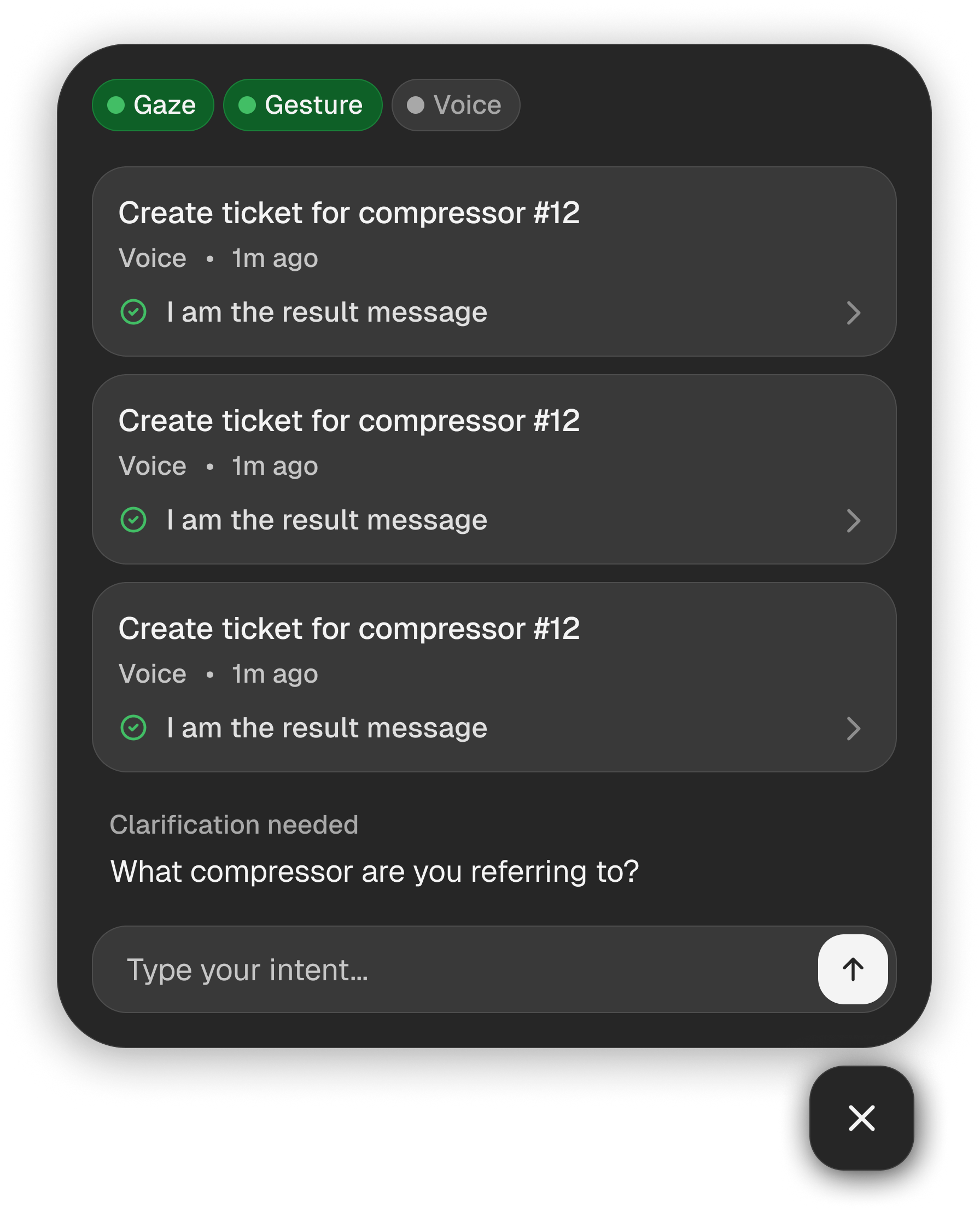
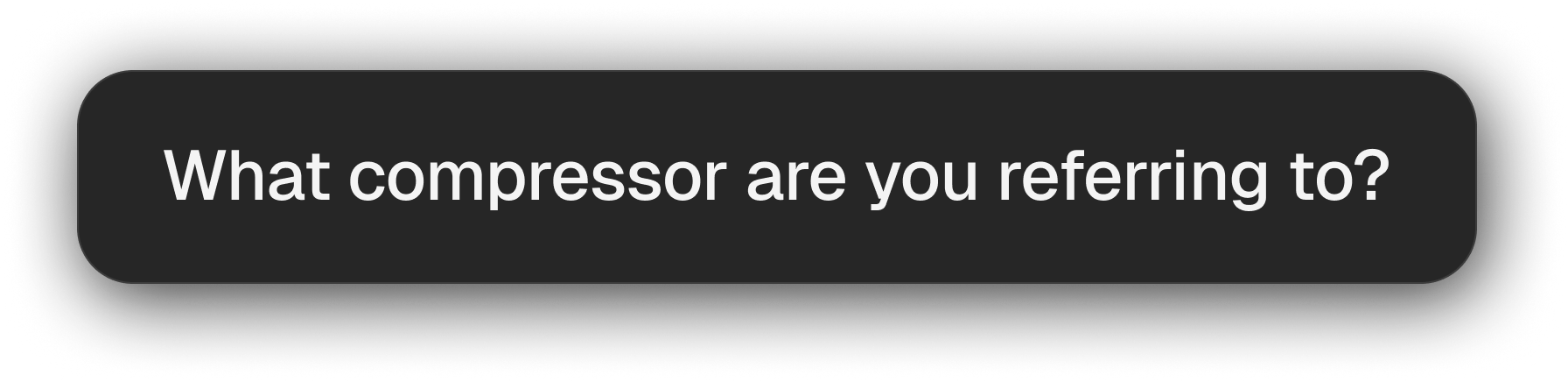
Voice: “Select this ticket.” The assistant asks which ticket the request refers to and lists available tickets.
The recording moves to a 3D viewer. Andrea uses gaze and pinch gestures to move and rotate an engine model. Voice: “Select carbon.” The model’s material changes. Closing text points to exocor.dev.
- Practice
- Interaction design & building
- Form
- React & TypeScript SDK
- Status
- Early release · Open source
01 / The question
What if the app could meet the intention?
In February 2026, I published Post-Interface Design: a manifesto exploring how intelligent systems might reduce the effort between a person’s intention and an outcome. Exocor takes that question into an existing application.
The design question is as much about agency as convenience: what should the system infer, what should it make visible, and where should the person remain in control?
02 / The interaction
Intent needs context.
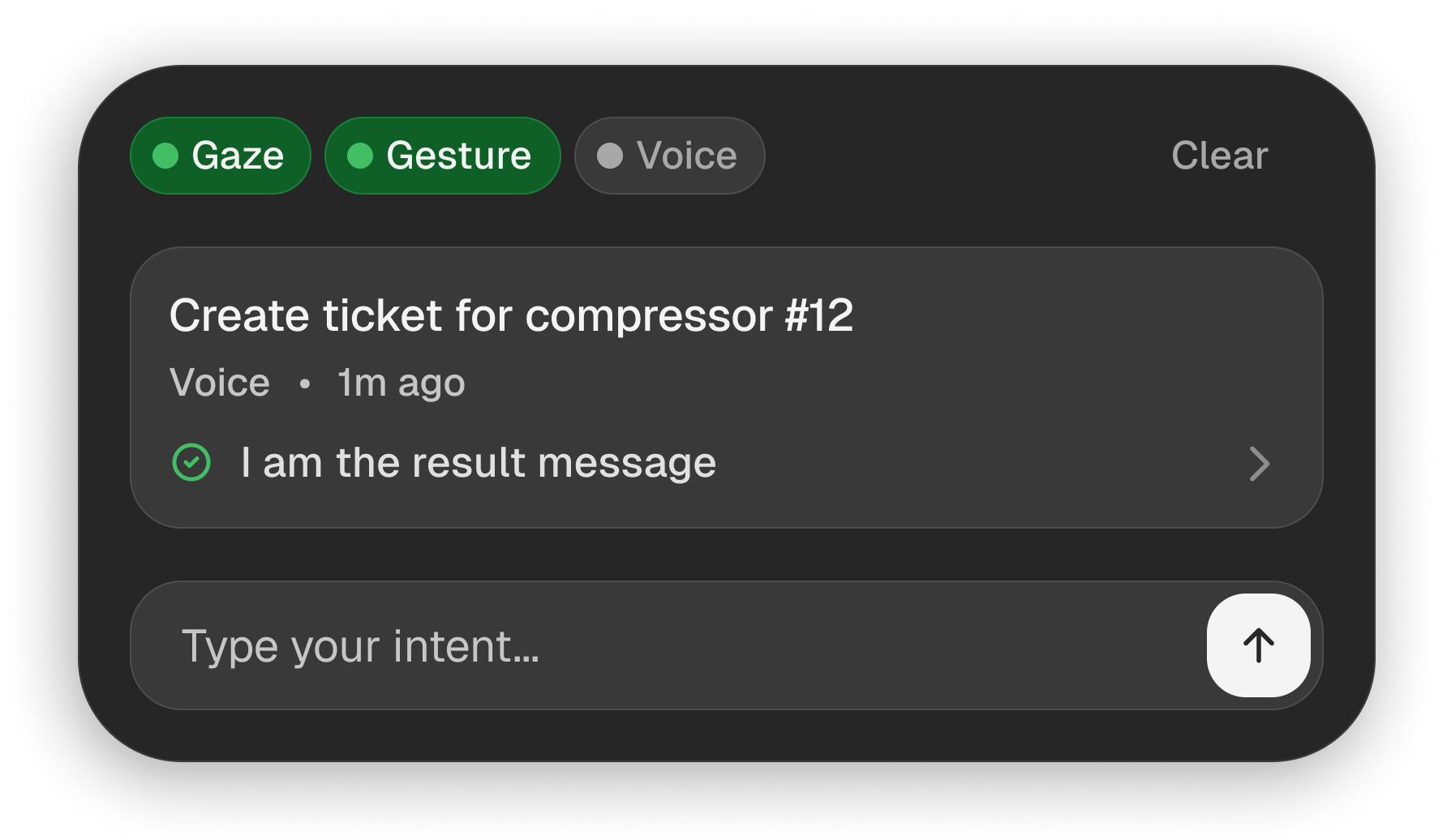
Exocor combines typed or spoken intent with the application’s current context. Its operations demo explores familiar tasks such as navigating equipment, creating inspections, and updating tickets.
Express
A person types, speaks, or uses a supported gesture.
Understand
The current route, interface, and target help resolve the request.
Act
App-native tools and interface actions carry out the task.
Stay in control
Clarification and a stop control keep intervention available.
On first load, Exocor learns the app. A persistent status message makes this preparation visible.
Read visual description
The application changes beneath a blurred overlay. “Learning your app…” remains centred throughout, with animated dots indicating activity. This is Exocor’s learning overlay on first mount. The recording is silent and stays in the learning state.
Gaze and gesture manipulate the model; a spoken command selects its material.
Read transcript and visual description
Andrea appears beside a 3D engine model. The cursor follows his gaze, while pinch gestures move and rotate the model. He says, “Select carbon.” The carbon option is selected and the model takes on a darker material.
03 / Designing control
Every action needs a boundary.
The interaction is shaped by what happens around execution: how a person chooses an input, understands the system, and intervenes.
Input is a choice
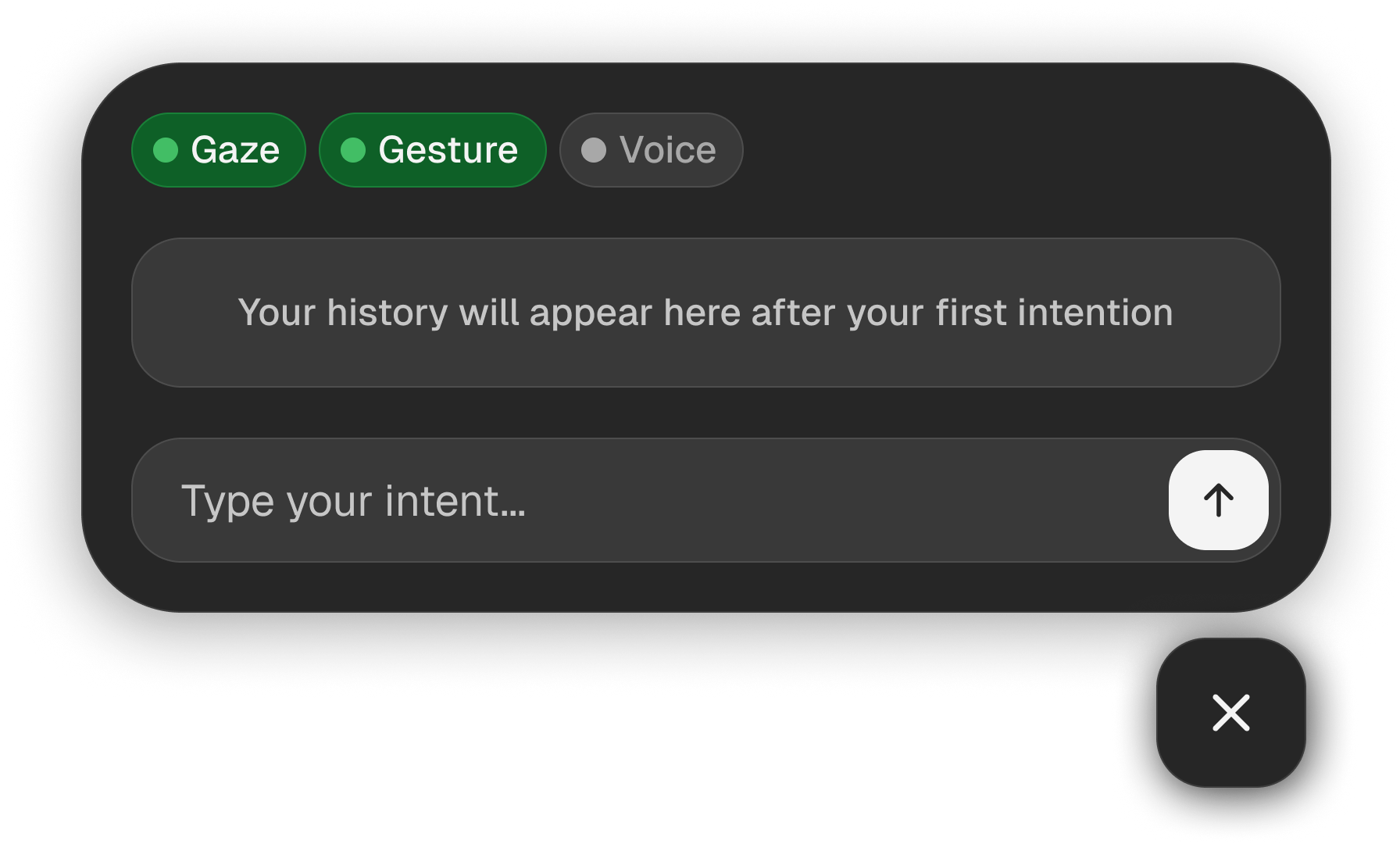
Available modalities can be switched on or off. Voice has visible transcript feedback; gaze uses webcam-based face tracking to guide a cursor, with pinch gestures supporting click and drag.
Uncertainty stays visible
Ambiguous requests or missing arguments can lead to clarification. Explicit application tools provide a defined action path when there is a suitable match.
Stopping has a clear meaning
A person can stop an active run. Actions already completed remain in place; stopping is not an undo operation.
Interface designs · example content
04 / The exploration
A point of view, put into practice.
Exocor is an early open-source project, with demos that make the interaction available to explore. Its hybrid approach combines learned interface context with explicit application actions.
The next questions are practical: when does a different input actually reduce effort, how much feedback helps people trust an action, and how easily can they recover when intent is misunderstood?
Explore the operations demo repository (opens in a new tab)