Brevo / Push integration & product strategy / 2025
Bringing push into Brevo.
Leading the integration of WonderPush into Brevo: a phased MVP, a focused notification editor, and connected campaign and automation workflows.
Average task completion time
Feature usage
Task completion · prototype test
My contribution
Product Designer II · I led the MVP design, redesigned the core journeys, and tested the prototype.
Collaboration
CPO, Head of Design, Head of Push, engineering, and the contacts team.
Timeline
2025 · Phased MVP strategy
01 / The challenge
Make an acquired product feel part of Brevo.
Brevo acquired WonderPush to expand its engagement offering, but the experience remained disconnected. Only 108 customers used push inside Brevo, compared with more than 5,000 on legacy WonderPush. The CPO and Head of Design asked me to lead the integration.
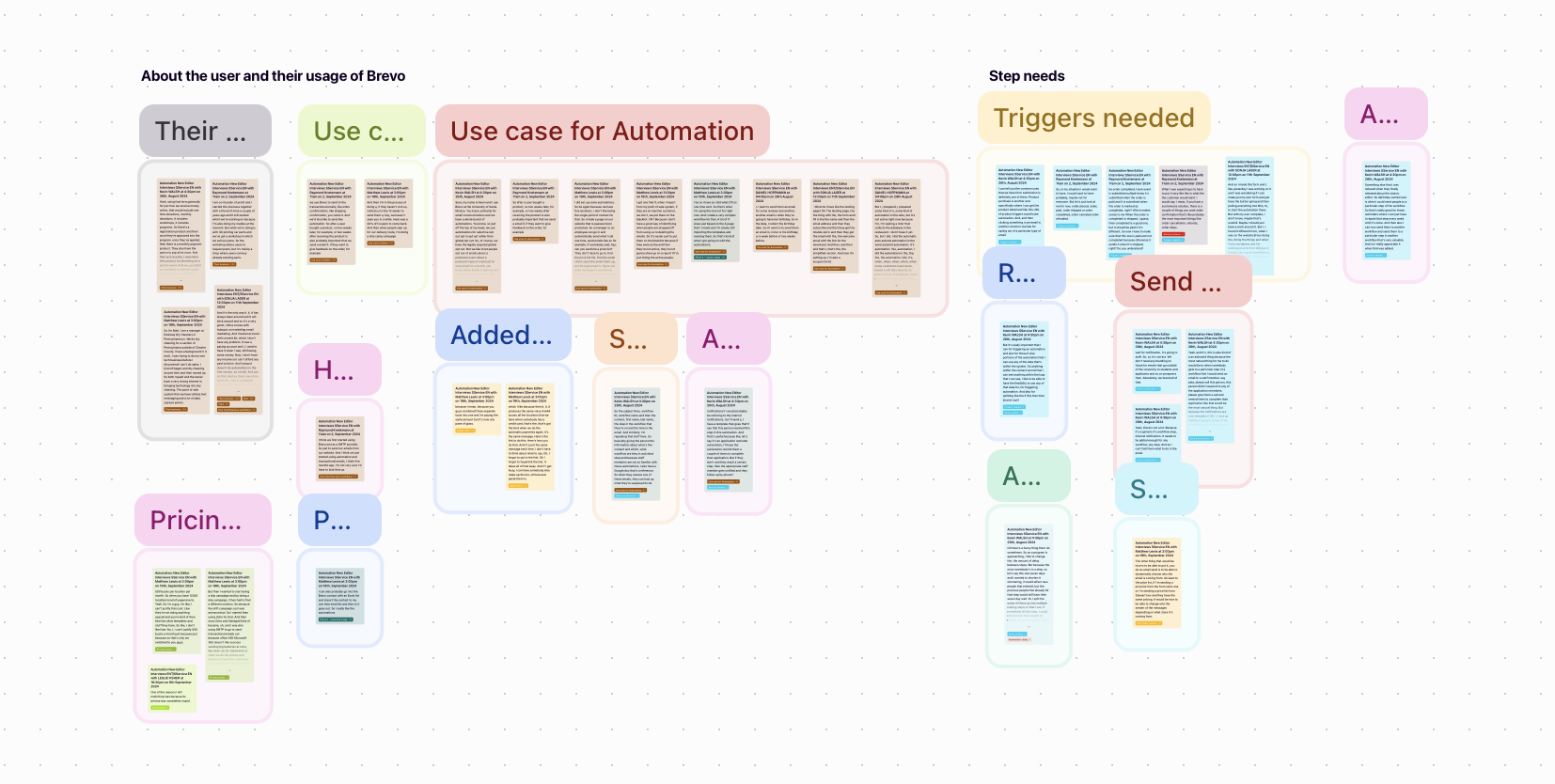
Interviews with marketers and developers exposed unclear onboarding, poorly documented setup, and too many steps to create campaigns. Testing required managing recipients elsewhere; automation required creating a campaign in WonderPush first. I organized the findings around these core journeys.
02 / Key decisions
Scope the MVP. Test the familiar patterns.
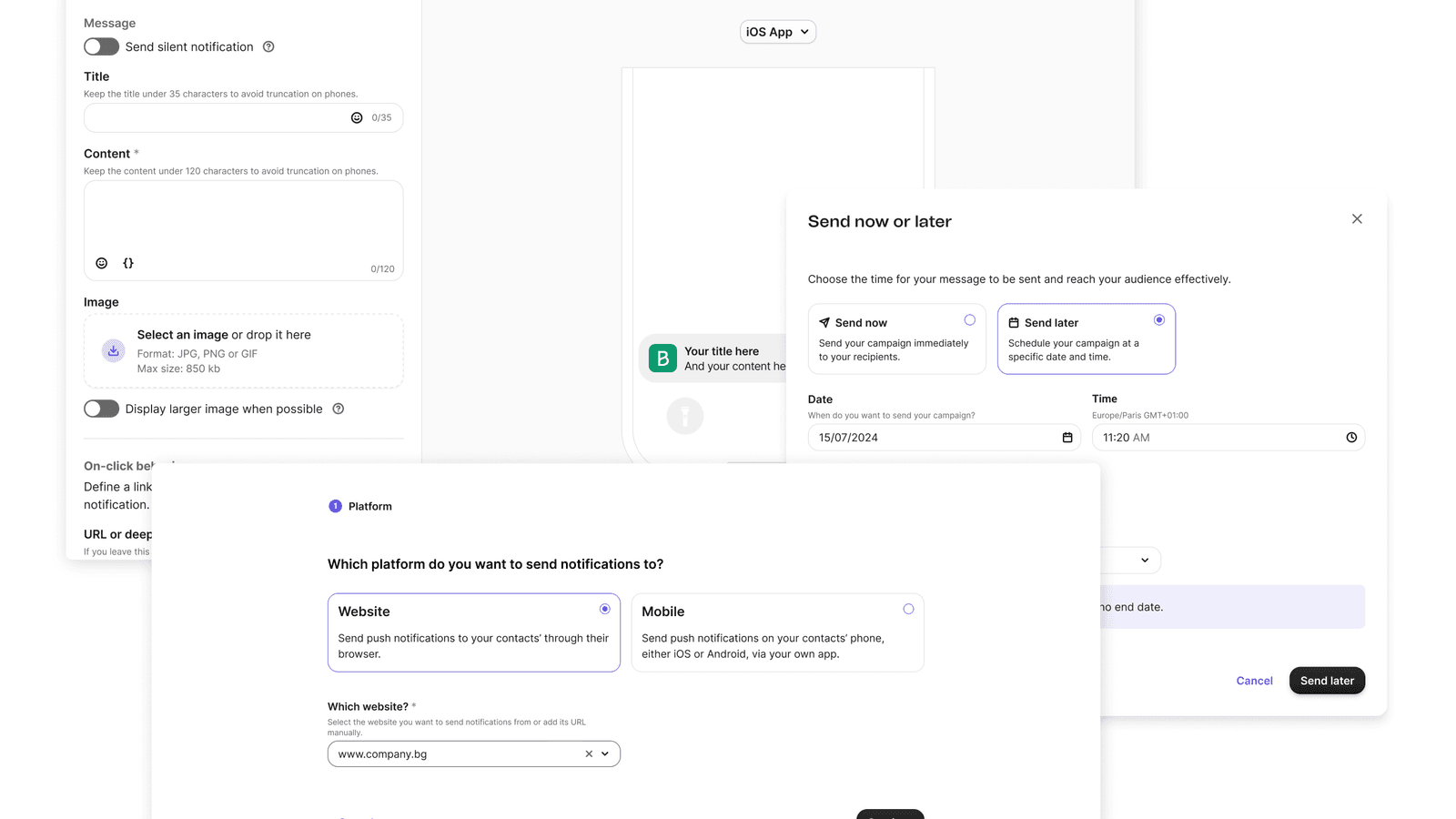
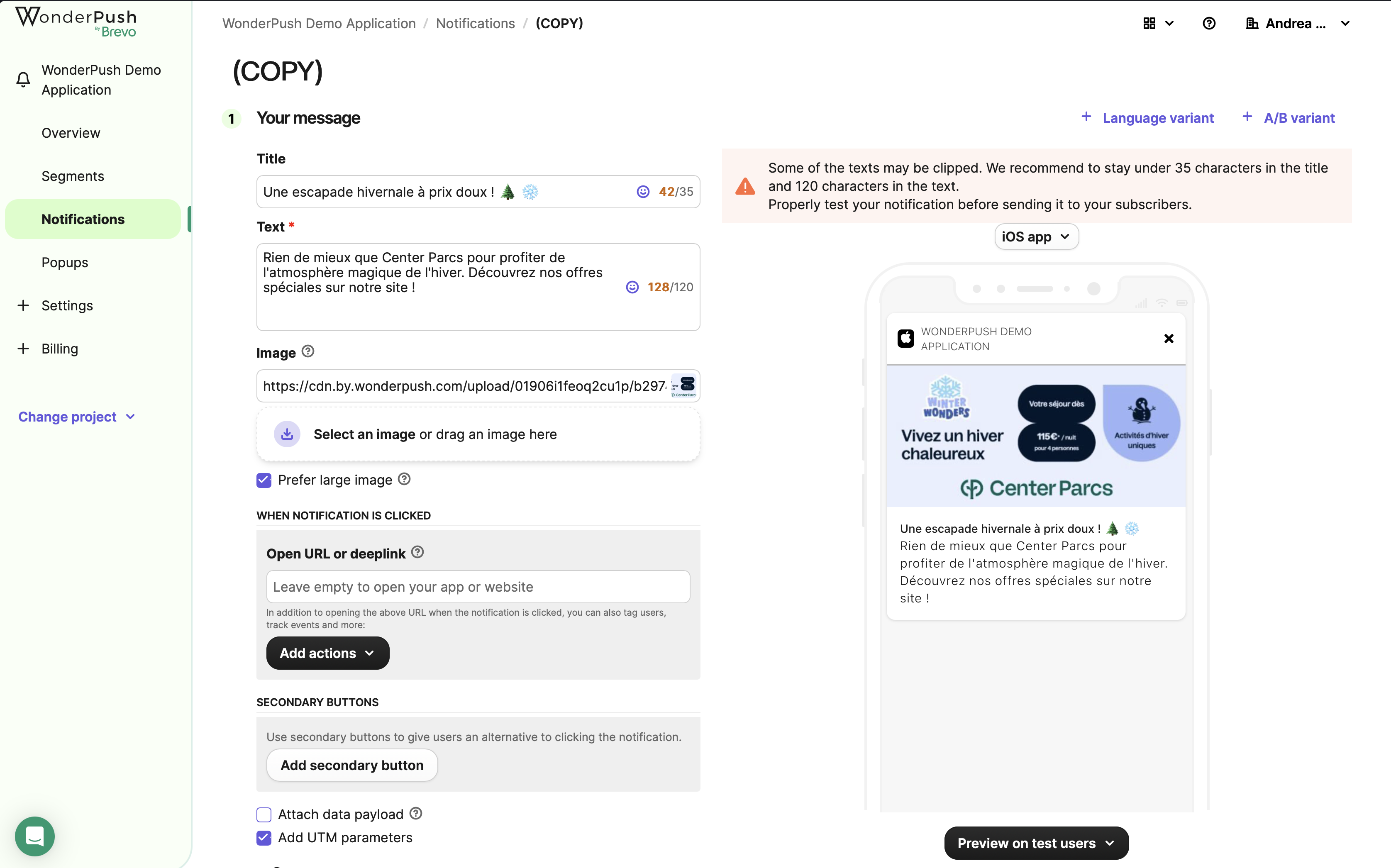
To meet the Q1 deadline, I proposed a phased integration. Templates, reporting, multiple languages, and A/B testing stayed outside the MVP. With engineering, I reused Brevo’s design system, SMS builder, and the scheduling flow I had previously designed.
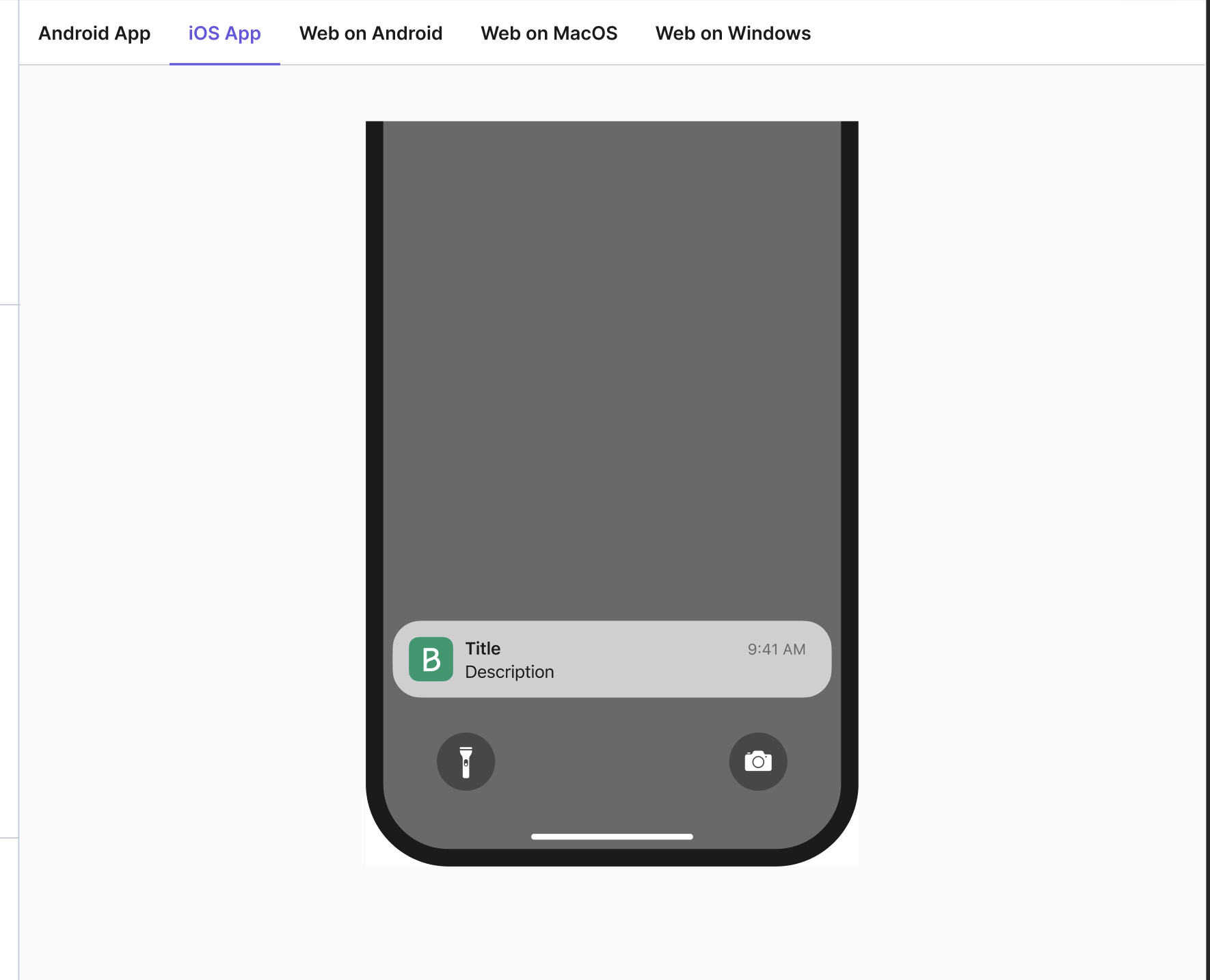
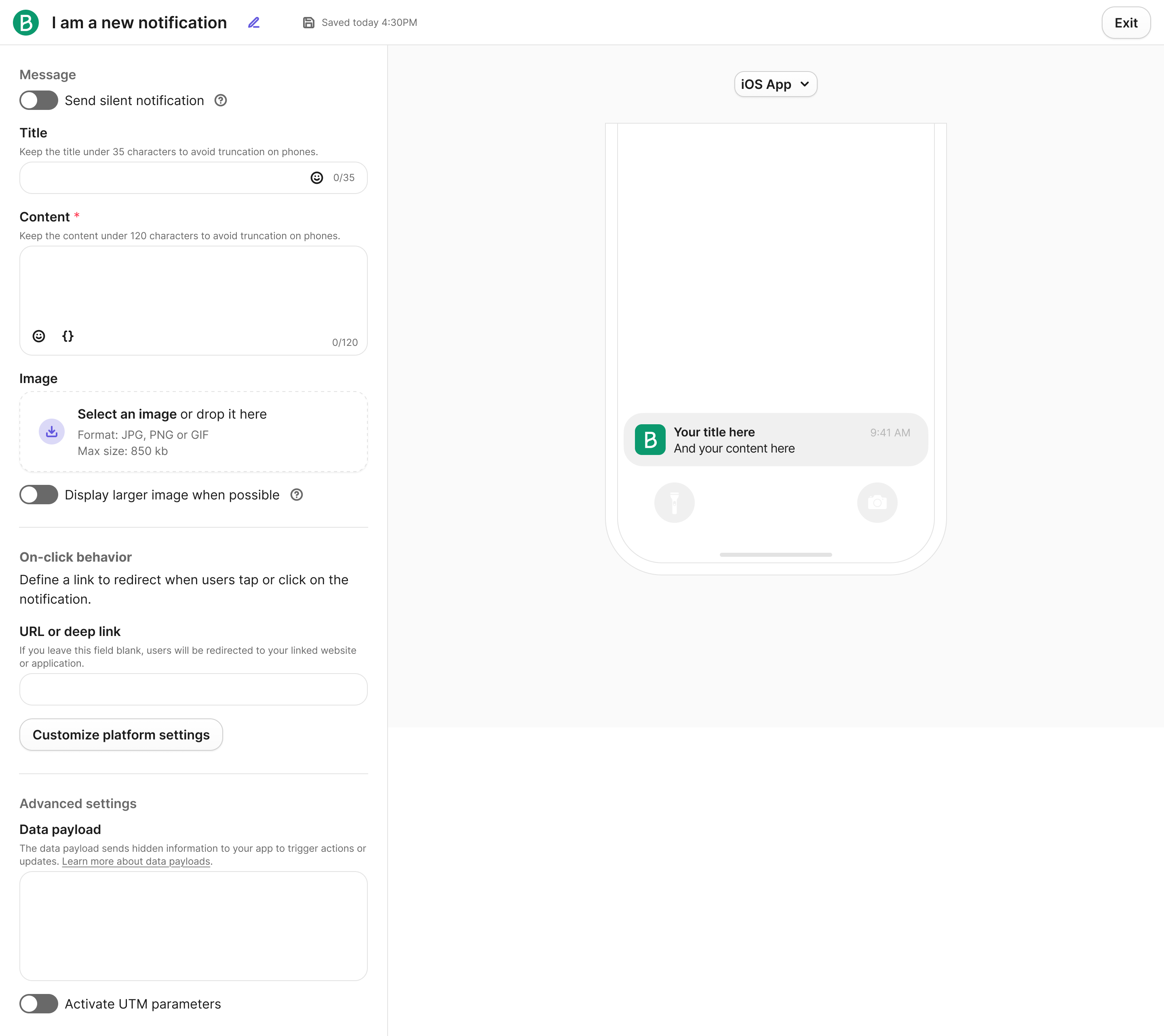
Testing changed the editor: platform-preview tabs were more confusing than a dropdown, and users expected the test action on the campaign builder. Expanded settings also created excessive scrolling. I moved platform settings into a modal with a read-only summary, keeping message creation beside a large preview.
03 / The solution
Connect setup, testing, and automation.
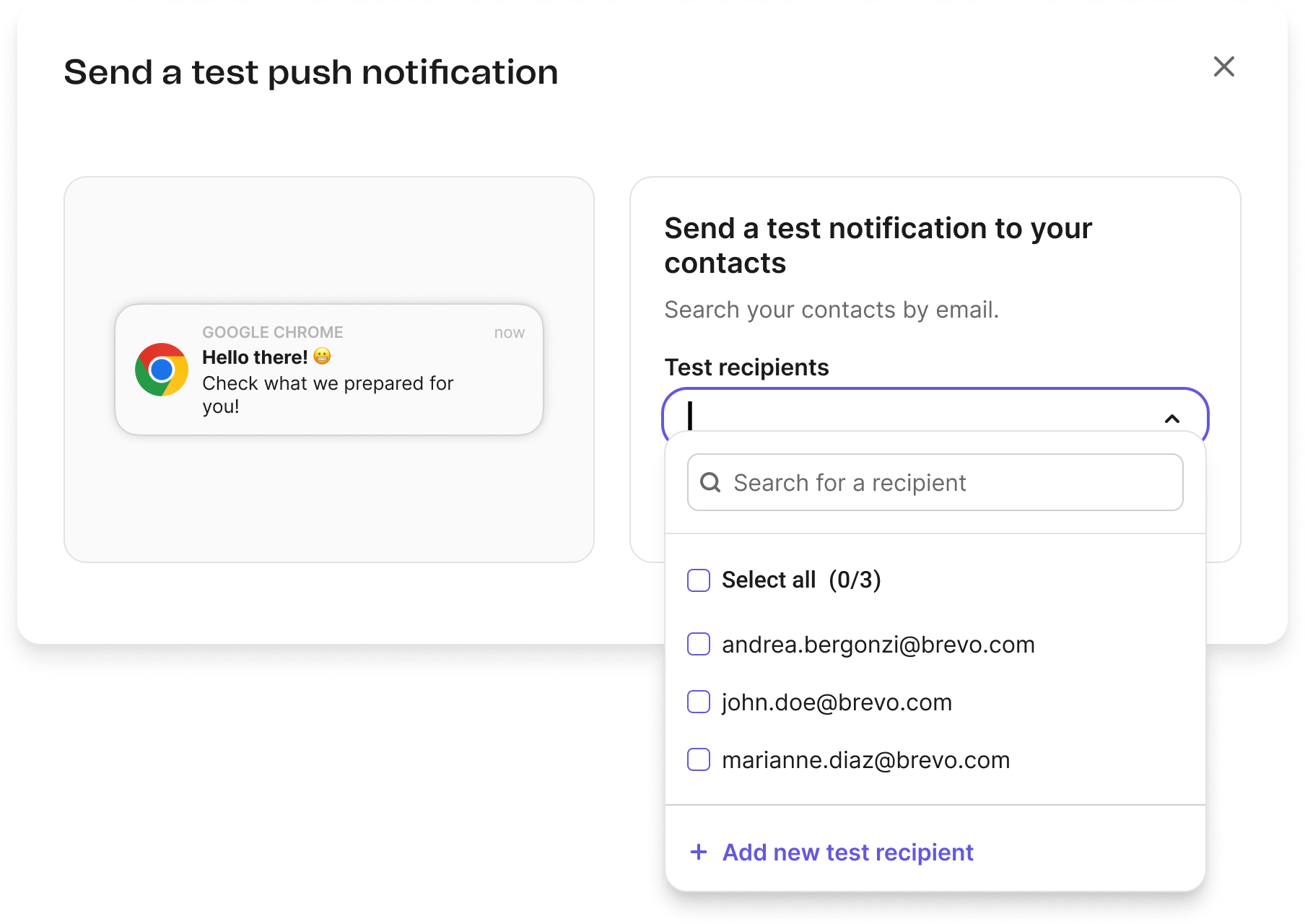
Onboarding guides users from choosing a website or mobile app through installation. Recipient selection and scheduling follow existing Brevo patterns. The test modal keeps a preview visible; collaboration with the contacts team made saved test recipients easier to find.
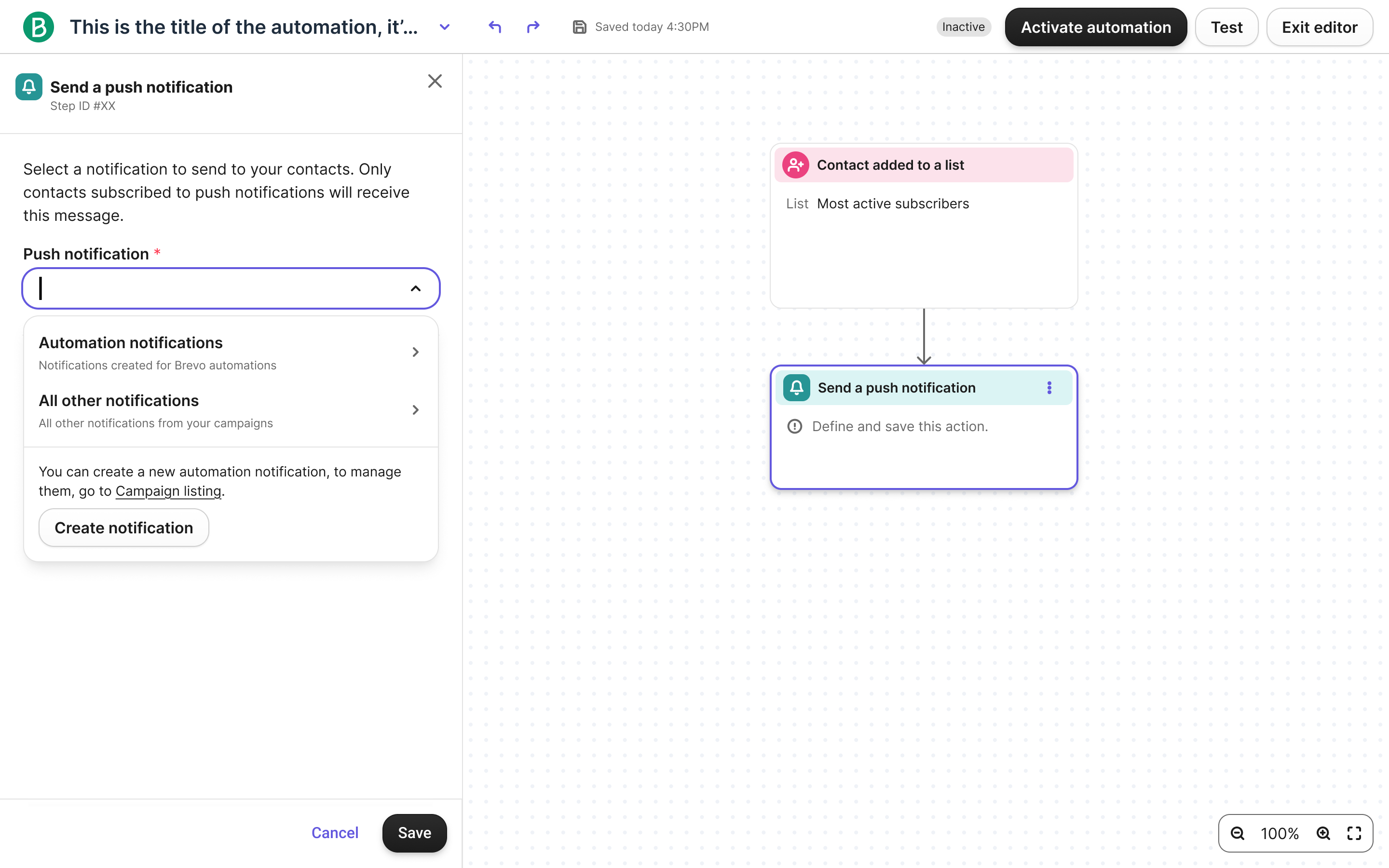
Inside automation, “Create notification” opens the editor and creates a dedicated campaign. This removes the need to prepare a message elsewhere. With templates outside the MVP, campaigns still served that purpose: I made their automation status explicit and disabled recipient editing in that context.
04 / Outcome & learning
Less task friction. Greater feature use.
Around 120 participants tested the prototype in Maze, with 81% task completion and an average ease-of-use score of 4.2/5. The subsequent integration reduced average task completion time by 40% and increased feature usage by 25%.
The key trade-off was integrating a useful first version while retaining campaigns beneath the automation workflow. Making that constraint visible—and reusing patterns users already understood—kept the experience coherent within the MVP scope.